BNY Studio: Investment Analytics Platform
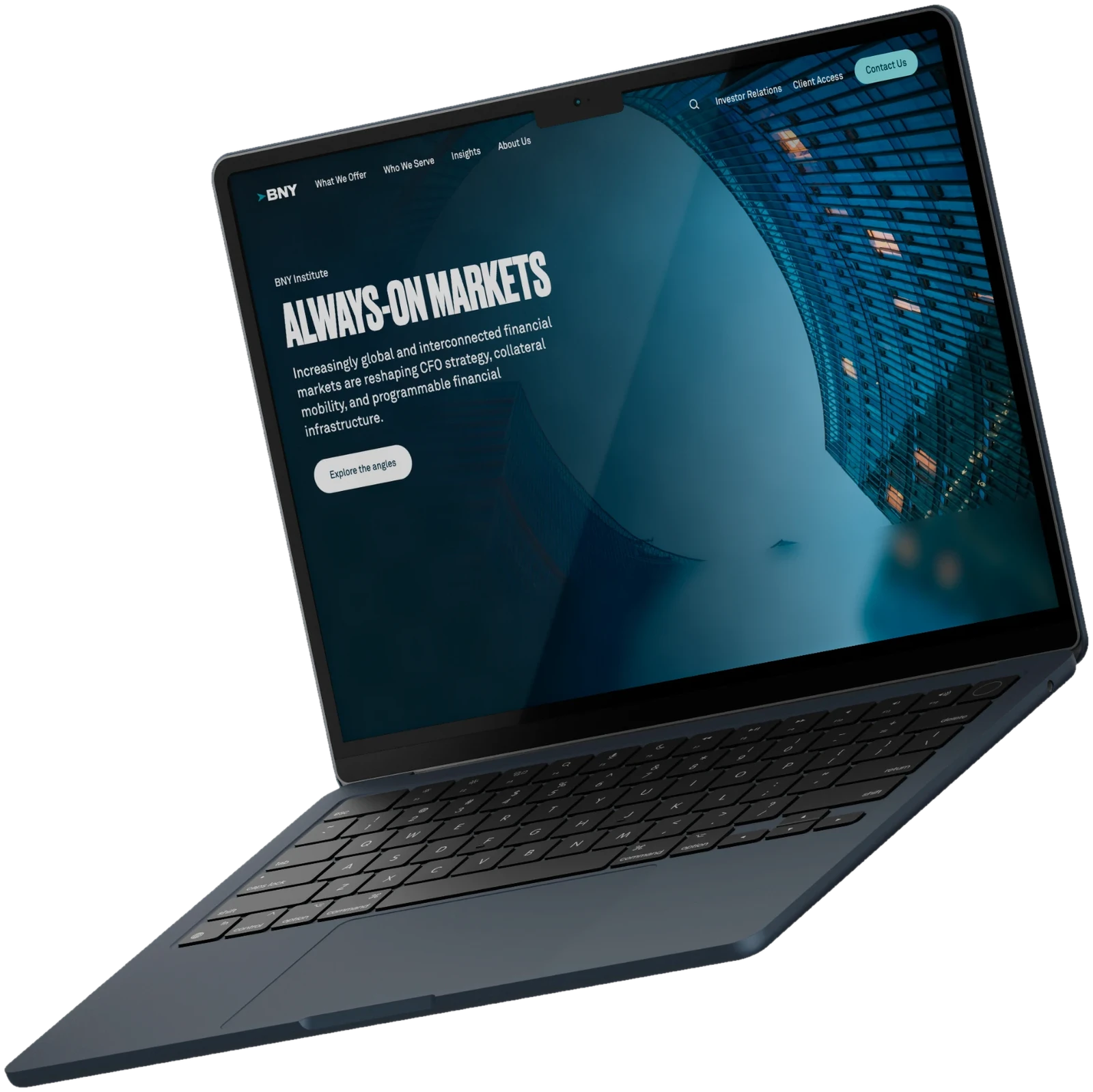
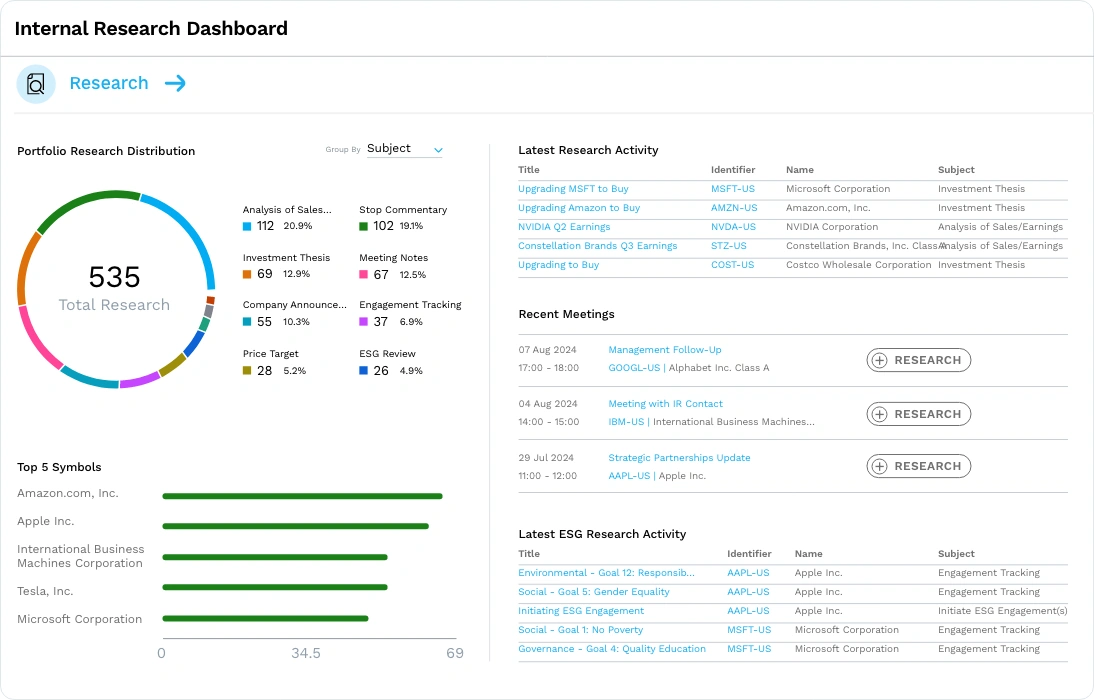
BNY Studio is an internal analytics platform for a global financial services firm, built for teams across performance, fixed income, and client reporting to work with multi-variable investment model output.
Research & Personas
Conducted 10 user interviews across performance, fixed income, and client reporting teams to understand how radically different user needs were — from daily power users wanting deep configurability to executives expecting fully packaged views. This research directly shaped personas.
Design System (from scratch)
Studio's design system was built from the ground up — establishing tokens, components, and patterns for a data-dense, multi-tier platform from day one.
Ownership & Scope
Studio was built by a larger design team. I owned three core areas — Discovery, My Workspace, and Monitor — designing the end-to-end experience for how users search and configure model output, manage their own data and models.
Leading the BNY Brand Refresh
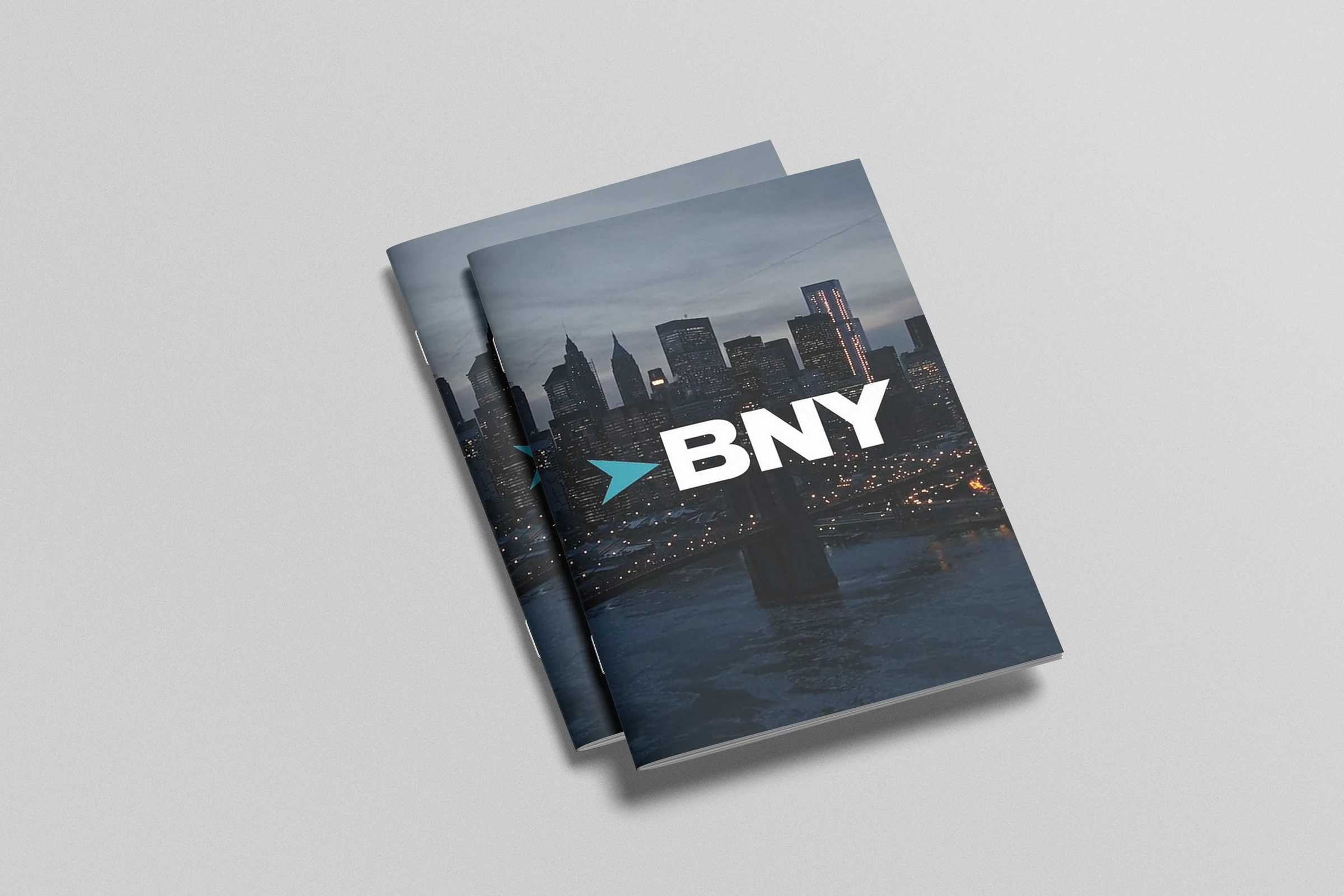
Alongside the Studio platform, I was involved in updating the BNY brand itself. I guided the process and led the brand update, built on the audience research I did.
I managed the collaboration with graphic and video designers to keep the brand consistent across every channel. The work covered the logo, brand strategy and branding, and printed materials for BNYM, like the magazine shown here.
I owned the product direction of three core areas of Studio
Each one is a different way of working with the same data: finding it, managing it, and keeping an eye on it without effort. From the very beginning I built the roadmap for all three areas. A platform of this size could not ship everything at once, so I decided which functionality to develop now and which to postpone, and what the first release needed to be useful for both daily analysts and executives. These decisions were grounded in the user research and business objectives.
Discovery
Search and exploration: how users find the datasets, visualizations, research, and news they can trust and actually use.
My Workspace
Everything that belongs to the user: their own data and models, and the visualizations they build, compare, and connect.
Monitor
Zero-effort visibility: a clear picture of what is running, what failed, and what needs attention, at a glance.
Business Context & Problem
BNY Mellon's financial teams relied on an old third-party system to work with complex investment data. It was outdated and hard to maintain, and the company decided to replace it — potentially building something new in-house instead. That new platform became Studio, and it needed to work for the entire company.
The challenge was that people used the system very differently. Some people worked in it every day, doing deep, detailed analysis, and needed speed and control. Others — like team leads and executives — barely touched the system directly, but still needed full visibility into the same information, delivered in a way that took almost no effort on their part. A single, one-size-fits-all design would fail one of these groups. Studio needed to work for both.
Objectives
Replace the legacy system with something that worked for everyone using it — not just power users or just executives. Specifically:
- Give daily users the speed and control they needed to do complex analysis without extra friction
- Give executives and team leads full visibility into the same data, with no setup or manual digging required
- Build a design system strong enough to support a large, data-heavy platform used company-wide, from scratch
Research & Insights
There were two very different relationships to the same data.
To understand who'd actually be using Studio, I conducted 10 interviews across the teams the platform needed to serve — performance analysts, fixed income specialists, client reporting managers, and leadership. These interviews shaped six user personas, from people who'd be in the system every day to executives who'd barely touch it directly. A few things came out clearly:
Power users — daily analysts — wanted deep control and hands-on access, but also wanted to spend less time on maintenance and more time actually analyzing. Executives and team leads, on the other hand, barely wanted to log in at all. Several of them described almost the exact same need, independently: everything should be “packaged and handed to them,” requiring little to no effort on their part.
The things executives actually cared about were narrow but consistent.
Across multiple interviews, the same few needs kept coming up: being notified when something needed attention, being able to monitor things at a glance, and having a clear record of who did what — comments, audit trails, accountability — without having to dig for it themselves.
Requirements weren't always fixed yet.
Some needs, like reporting standards tied to industry compliance, were still evolving during the research — which meant the system needed to be flexible enough to accommodate things that weren't fully defined at the time.
Personas
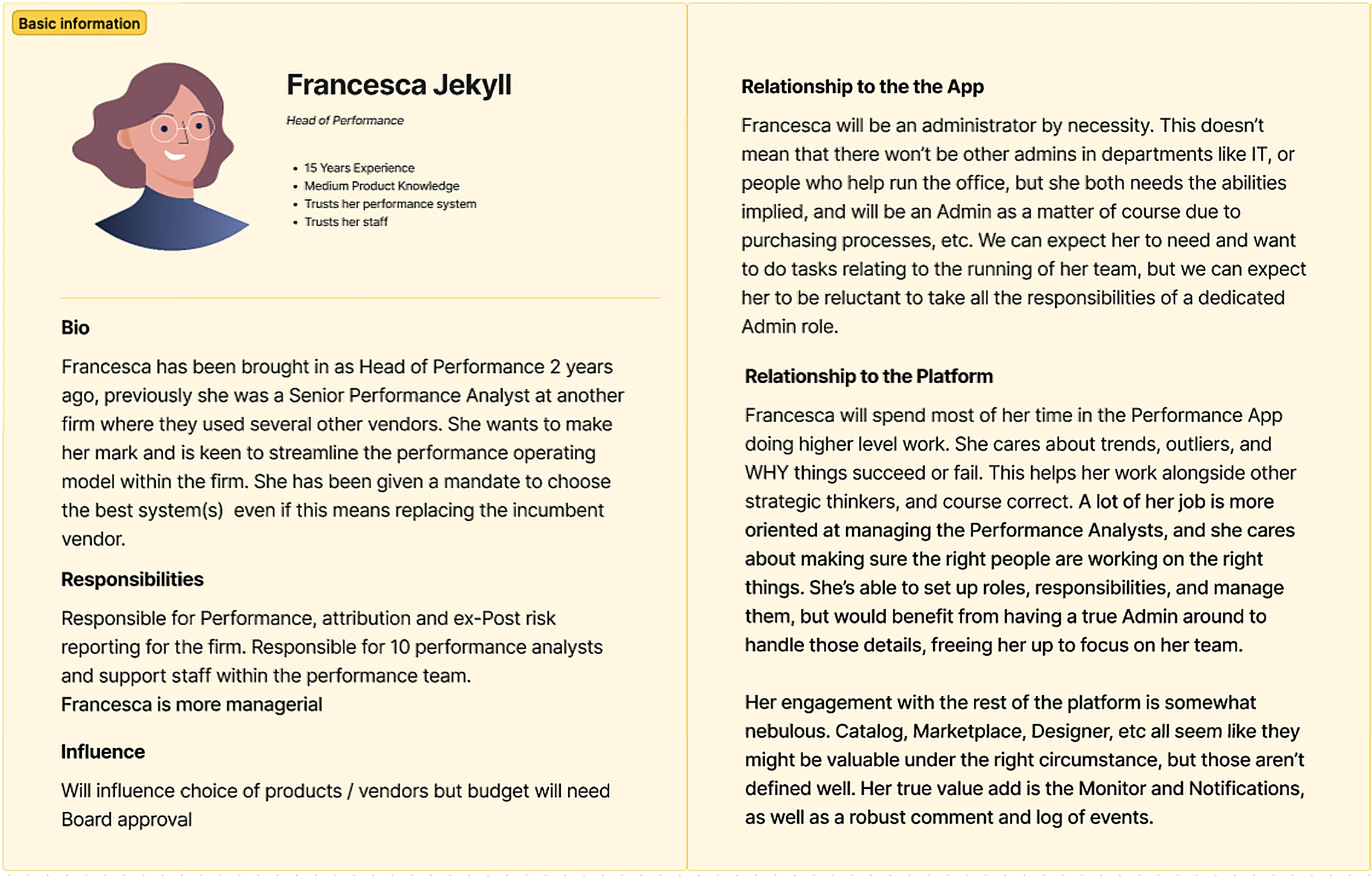
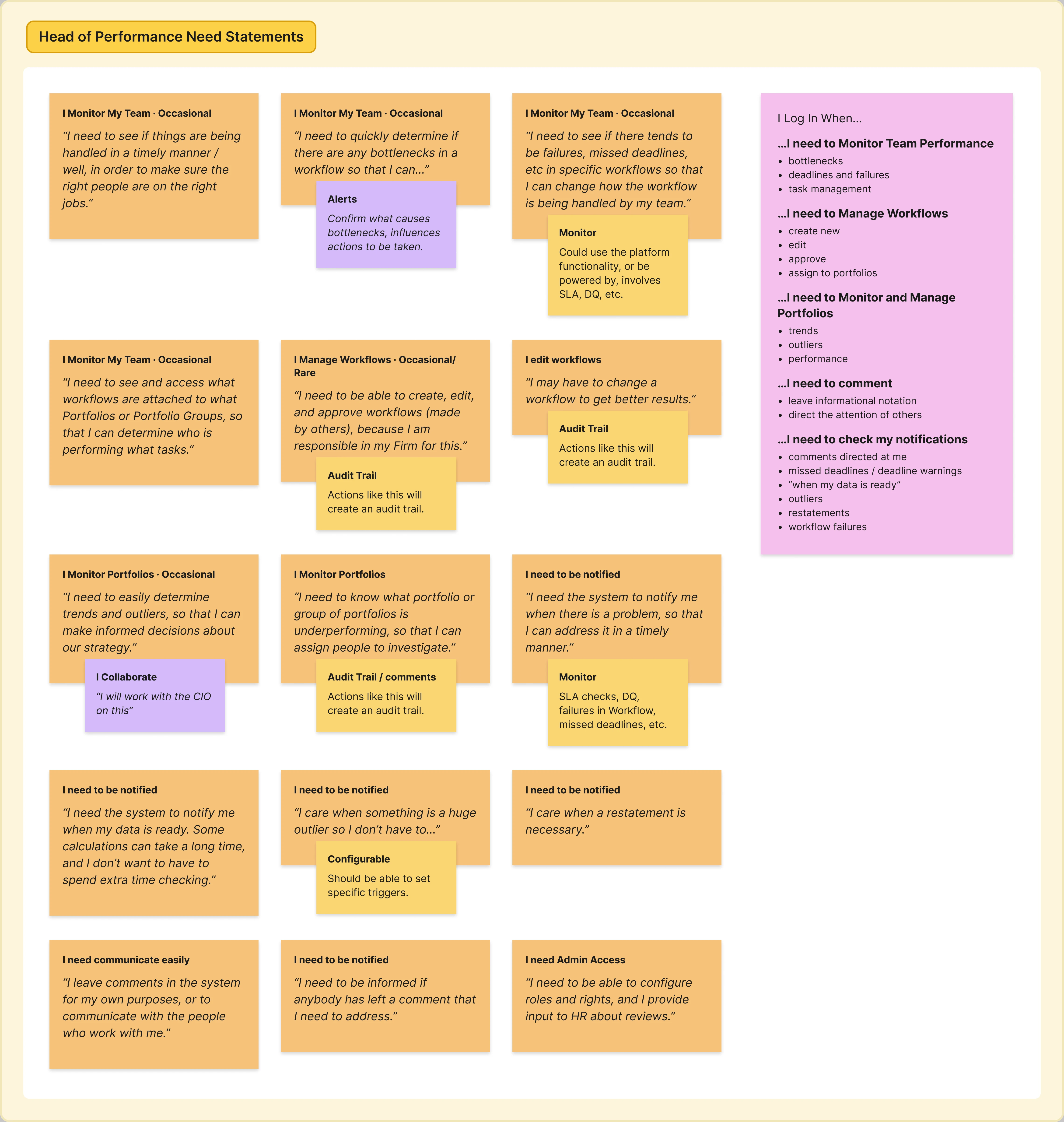
Francesca
“I need to be able to create, edit, and approve workflows made by others, because I am responsible in my firm for this.”
“I need to see if there tends to be failures, missed deadlines, etc in specific workflows so that I can change how the workflow is being handled by my team.”
Edward
“I need to see what factors drive performance, since these help me decide what made us successful.”
“I need to be able to determine if the data we have is fit for purpose, so that the people working on Analysis have the best tools available.”
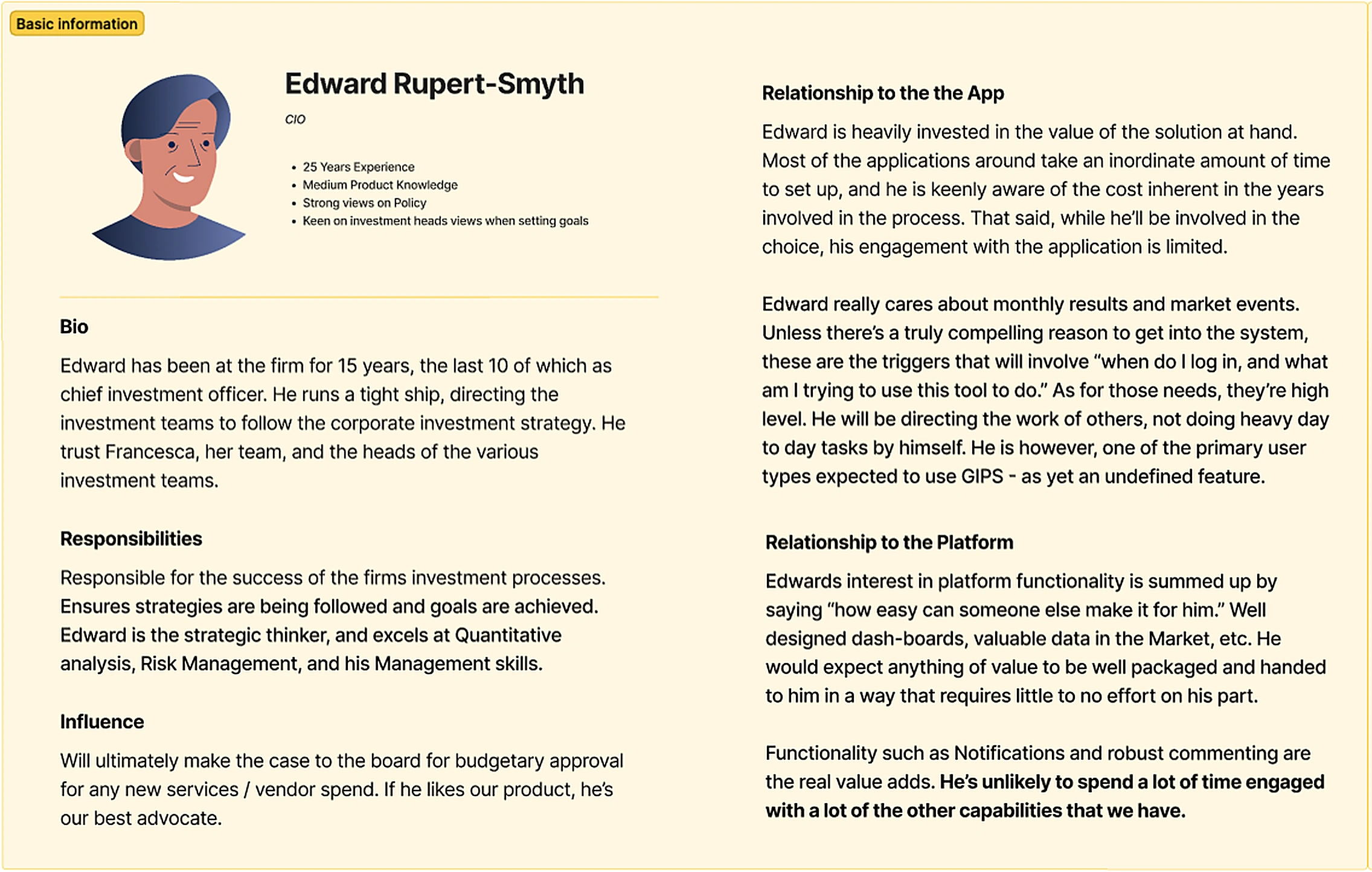
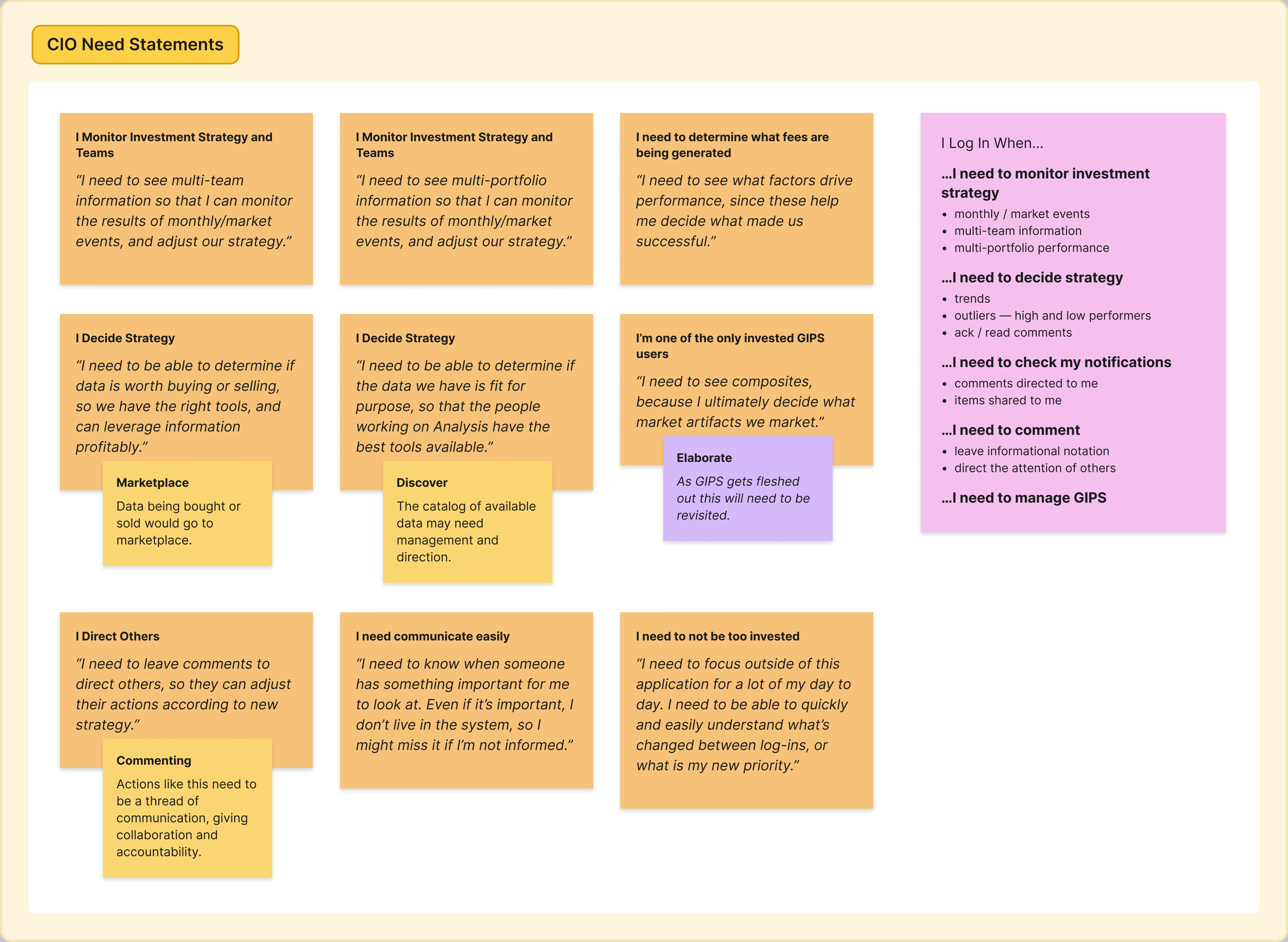
Research shaped six personas in total, spanning the full range of people who'd use Studio. Here are two that show the clearest contrast: Francesca, Head of Performance, who works inside the platform daily and manages a team through it; and Edward, the CIO, who barely logs in but still needs complete visibility into what's happening. Together, they capture the core tension the design had to solve — depth and control for the people doing the work, versus zero-effort clarity for the people overseeing it.
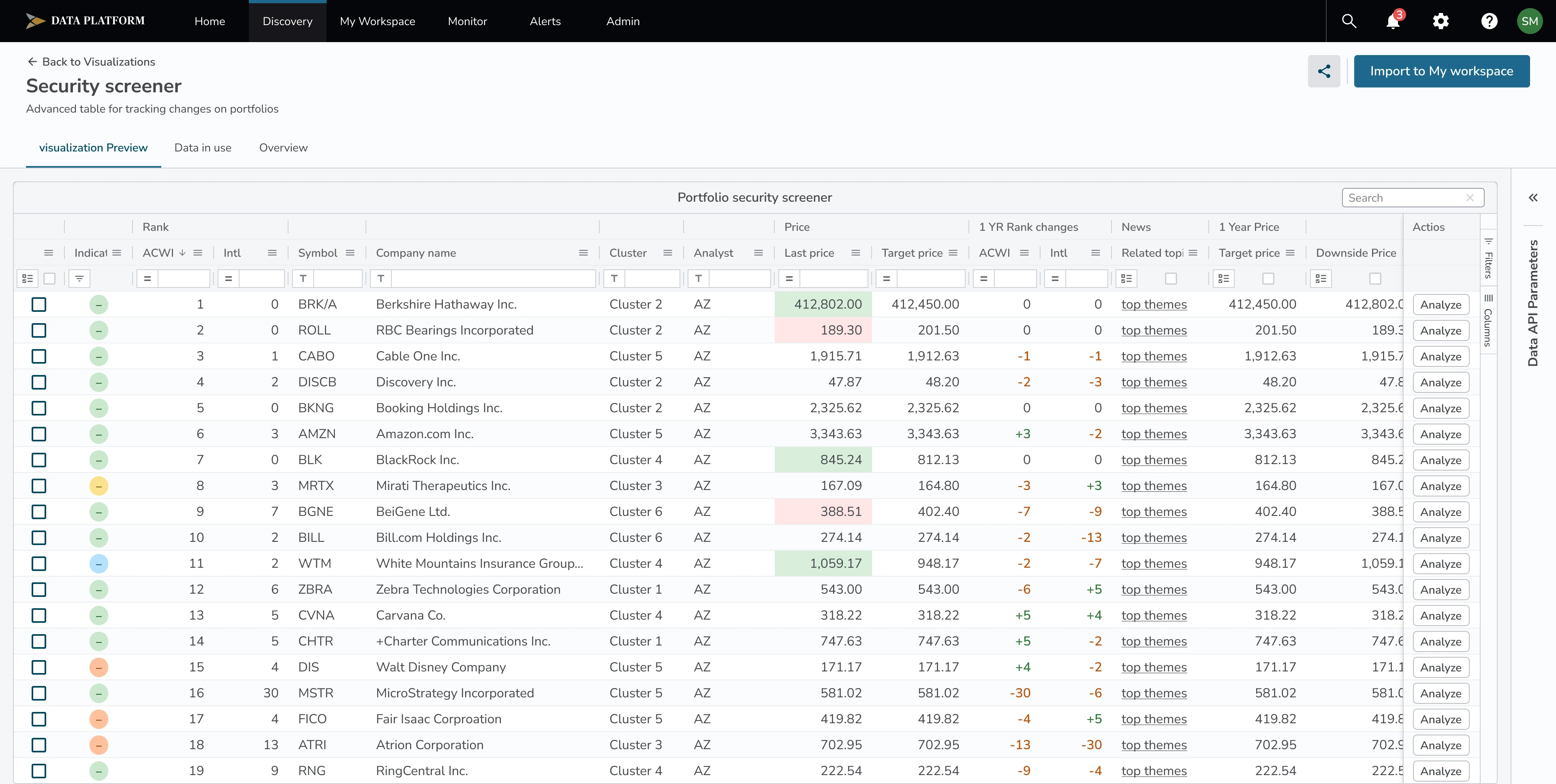
“Discovery” — search and exploration space
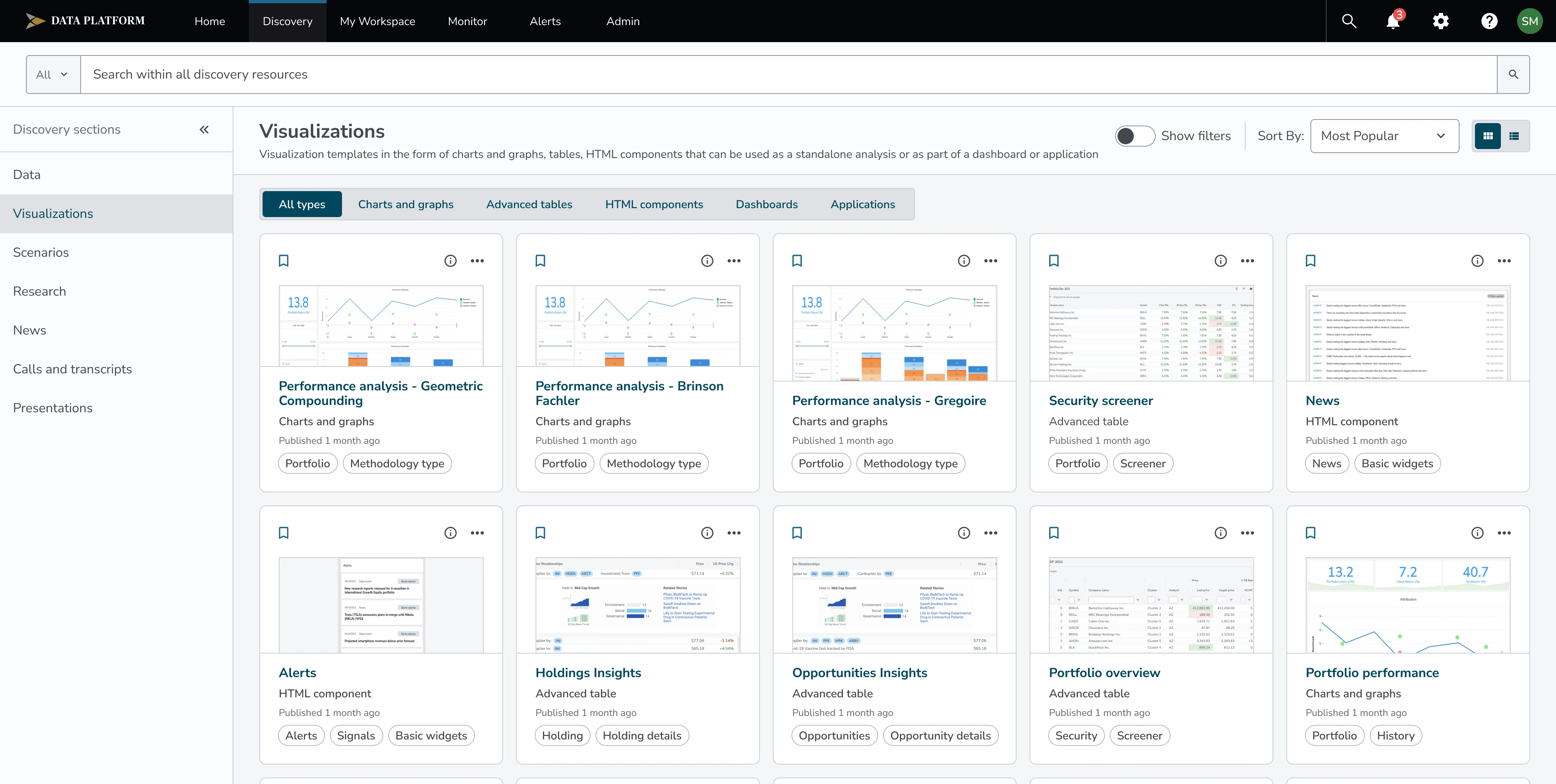
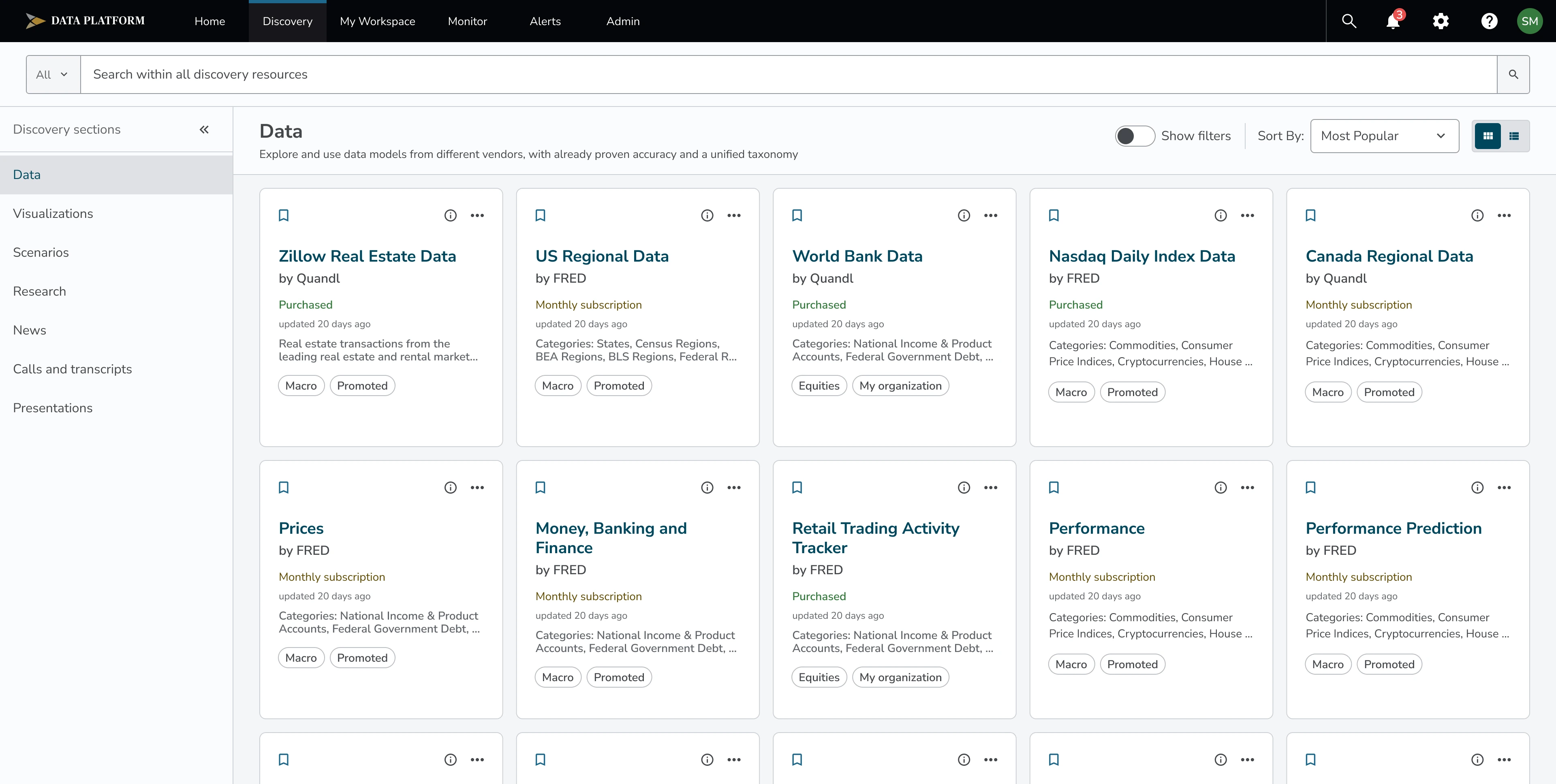
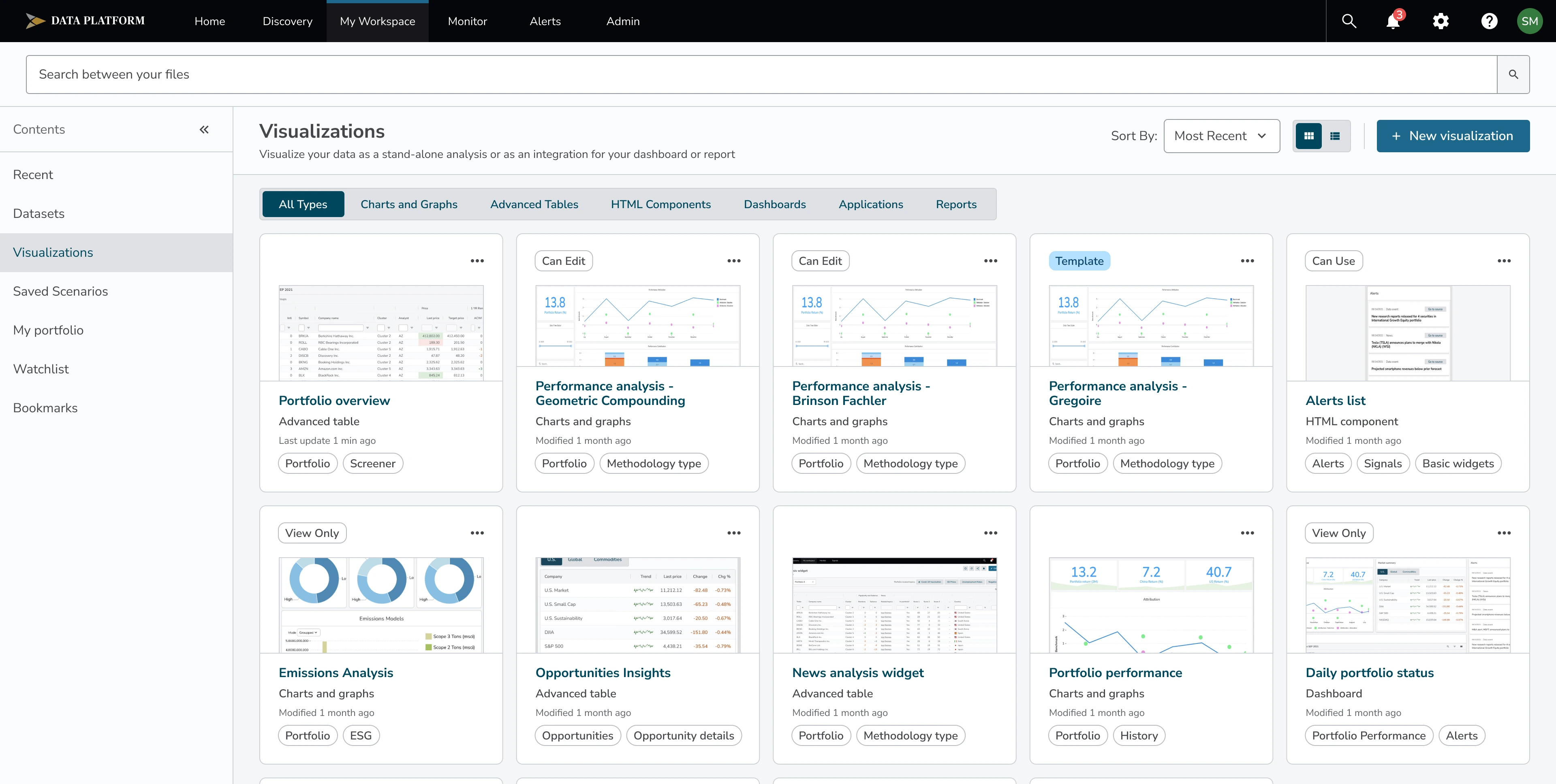
Discovery is where users find the material they need to inform a decision or build into their own work. It pulls together several very different content types in one place: datasets, visualizations, news, research, scenarios, presentations, and recorded calls and transcripts. Some of this content comes from inside BNY Mellon itself — internal calls and research, for example — while other content, like certain datasets, comes from outside vendors and data suppliers. Users can search across all of it, or filter by things like category, canonical group, and certification status, to narrow down to material they can trust and actually use.
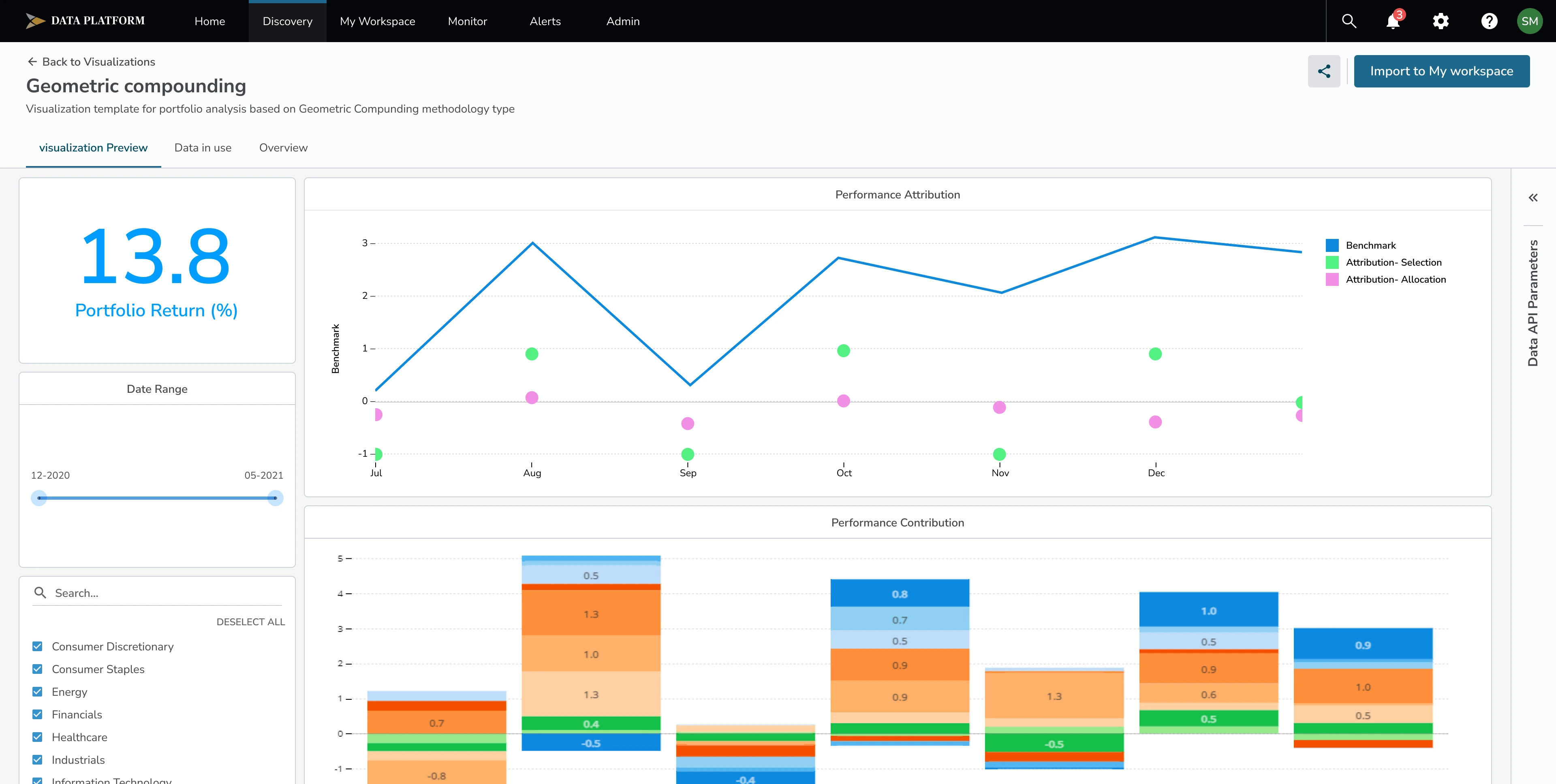
Visualizations alone cover several different formats — charts and graphs, advanced tables, HTML components, dashboards, and full applications — because different tasks called for different ways of looking at the same underlying data. A quick trend check needs a chart; a detailed audit needs an advanced table; a recurring report needs a dashboard someone can return to.
While most people touched Discovery at some point, it was used most heavily by the power users — analysts and specialists making high-stakes financial decisions day to day, who needed to move quickly across large amounts of material without losing precision.
“My Workspace” — place where users manage the data that belongs to them
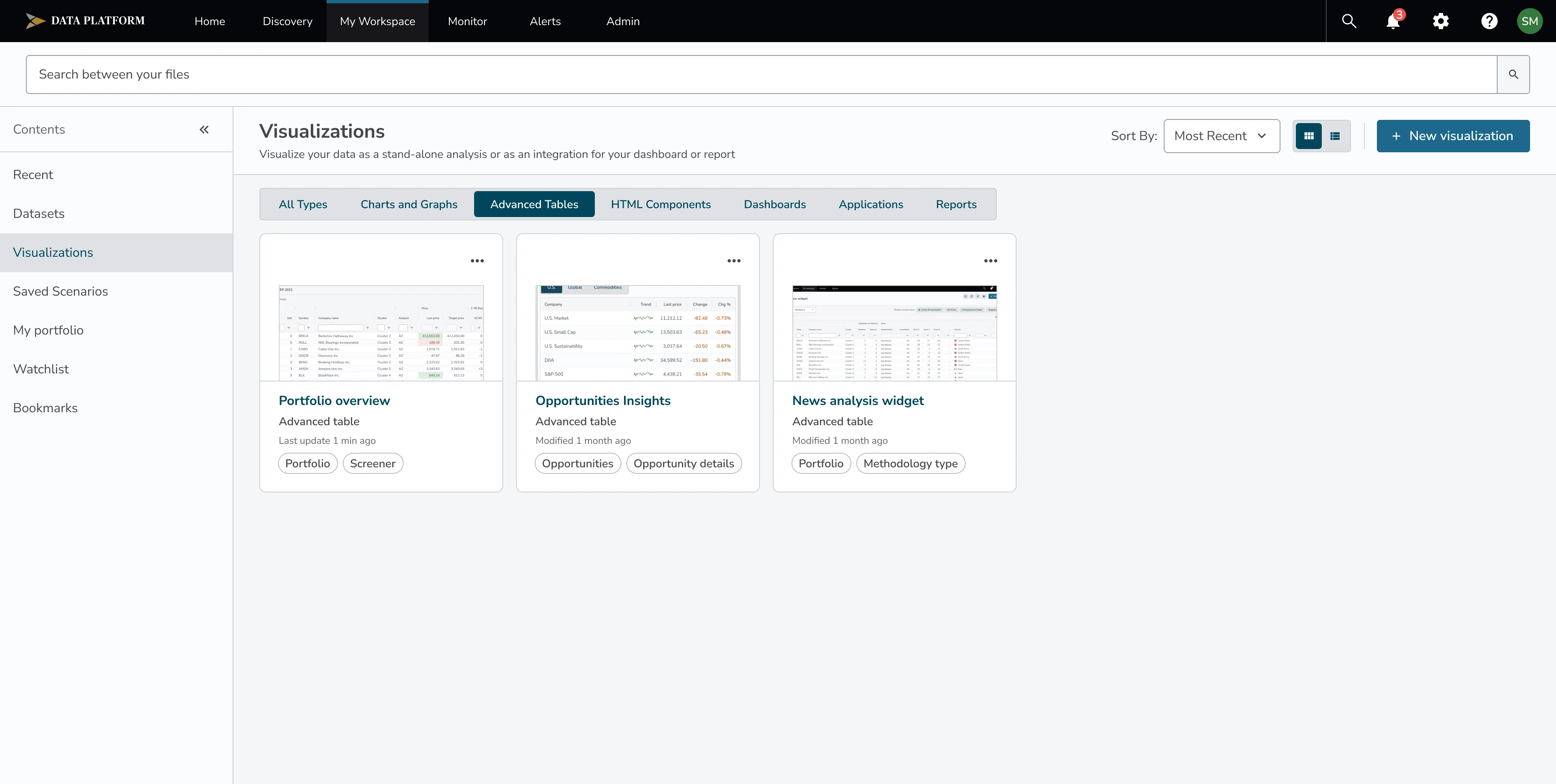
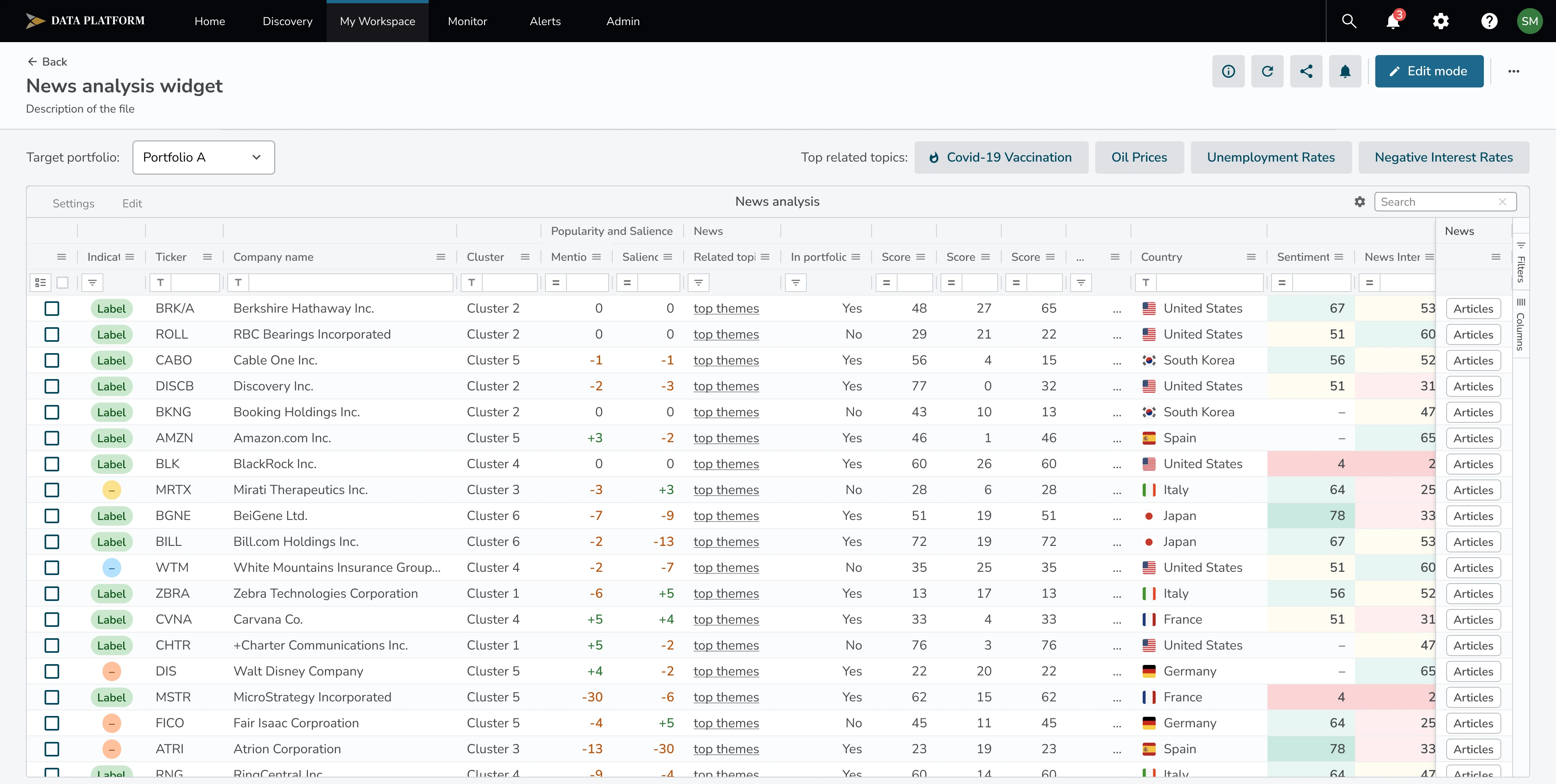
My Workspace is where users manage datasets bought or shared with them by the organization, plus the visualizations, scenarios, portfolios, watchlists, and bookmarks they've built or saved. Everything here is something they can act on directly.
For datasets, users can view the full data, filter it, and use an “Analyze” option to turn a plain table into a chart, graph, or other visualization — either from a template or from whatever they've currently got selected. They can also add new data themselves, either by building a new data model from scratch or importing one from the company's shared data catalog.
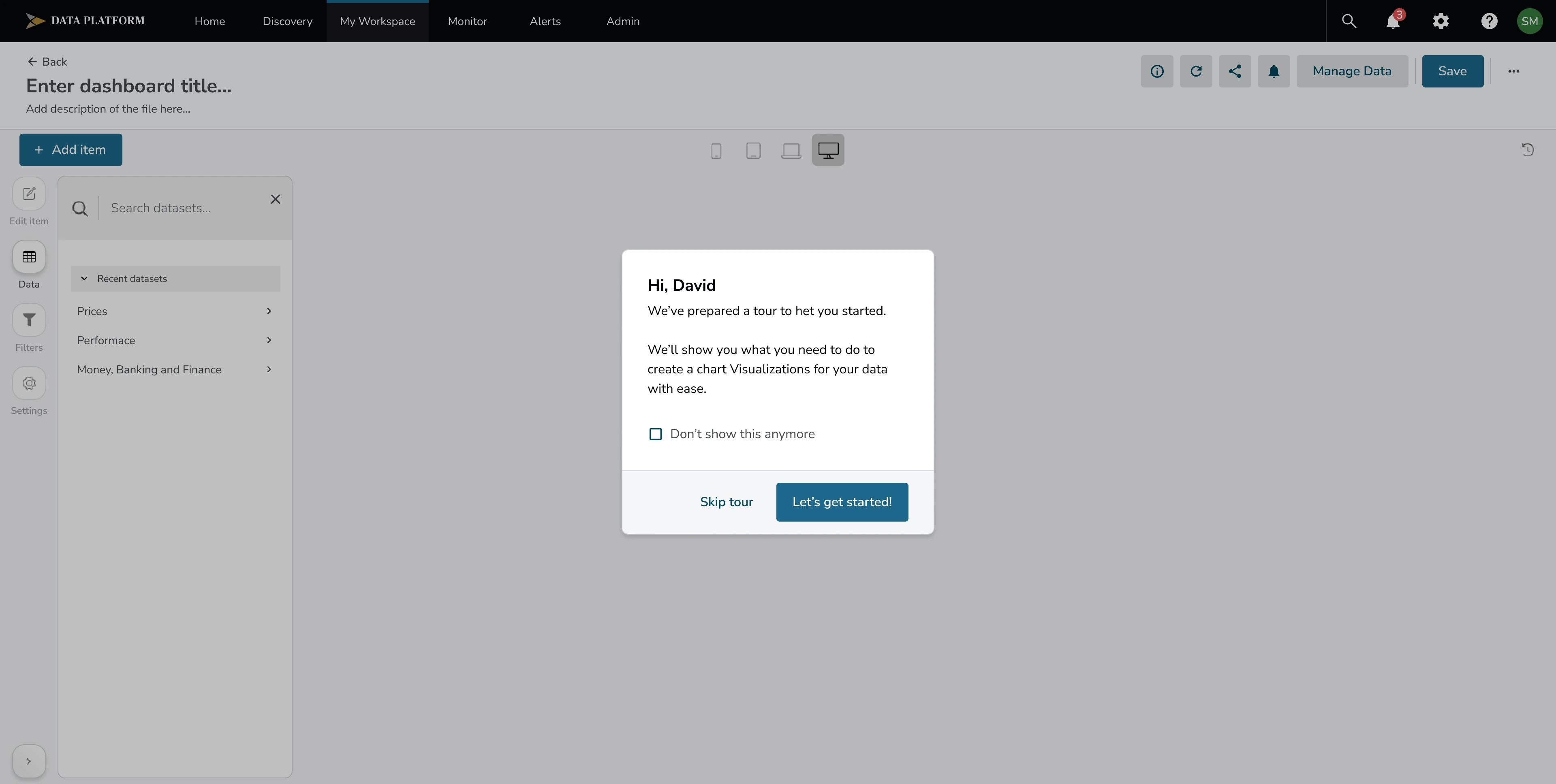
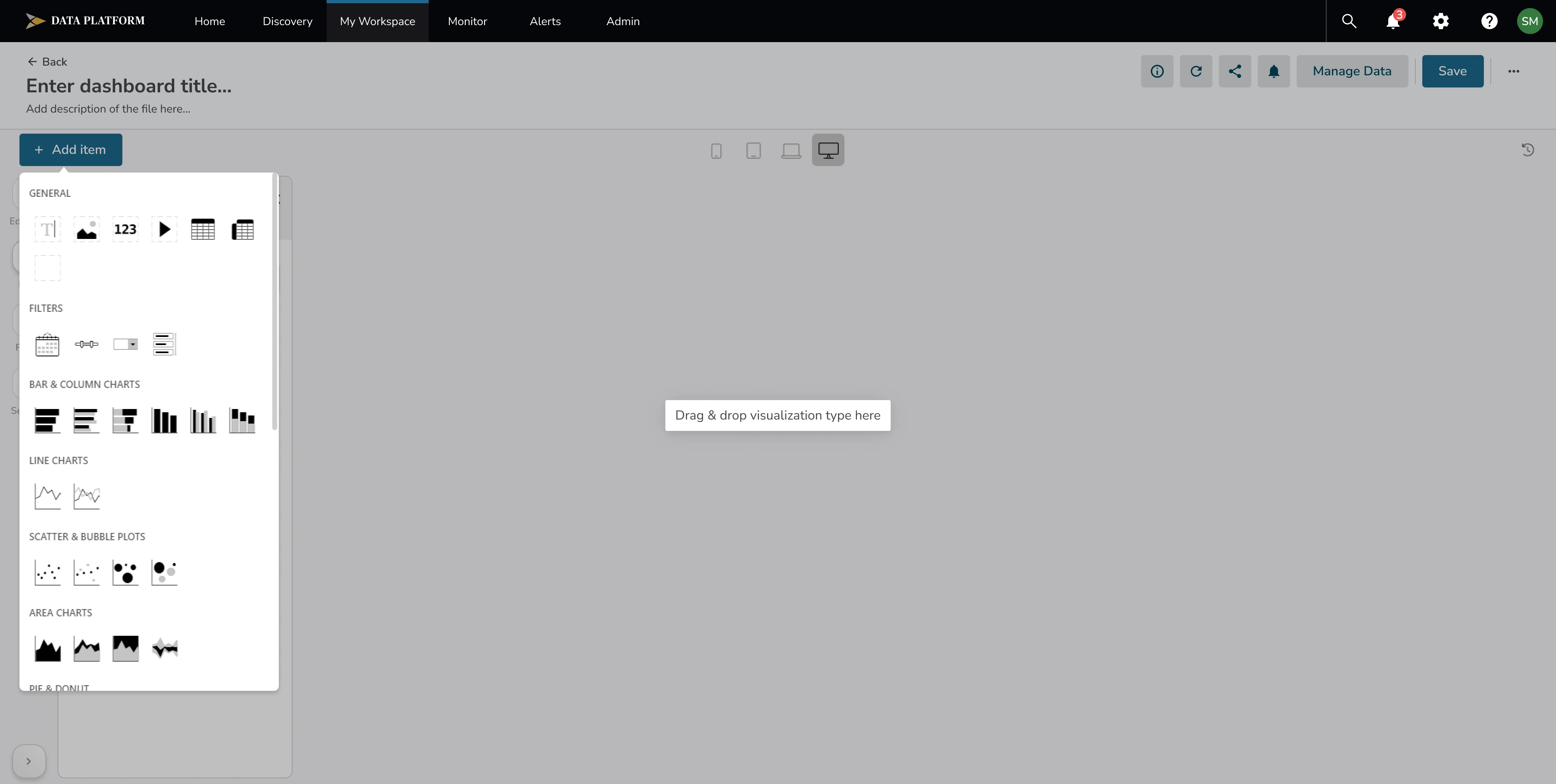
On its own, a single model shows a specific, fixed result. But financial decisions rarely come down to one number in isolation — analysts need to compare models against each other to understand what's actually driving a result, and to make better predictions. My Workspace's visualization builder is where that happens: creating a new visualization takes users into a dedicated working environment where they can pull in different pieces — dates, assets, or entire models — and combine them into one view. A common pattern was layering a benchmark model (shown as a reference line) against other data pulled from different models, so users could directly compare characteristics side by side rather than looking at each model in isolation.
Connecting models
Early versions of the roadmap treated “connecting models” as a nice-to-have feature. Research with power users showed otherwise — a single model's output in isolation wasn't especially useful to them; what they actually needed was to compare models against each other to understand what was really driving a result. That insight elevated model-connecting from a minor feature to one of the platform's core initiatives, and shaped the visualization builder described above.
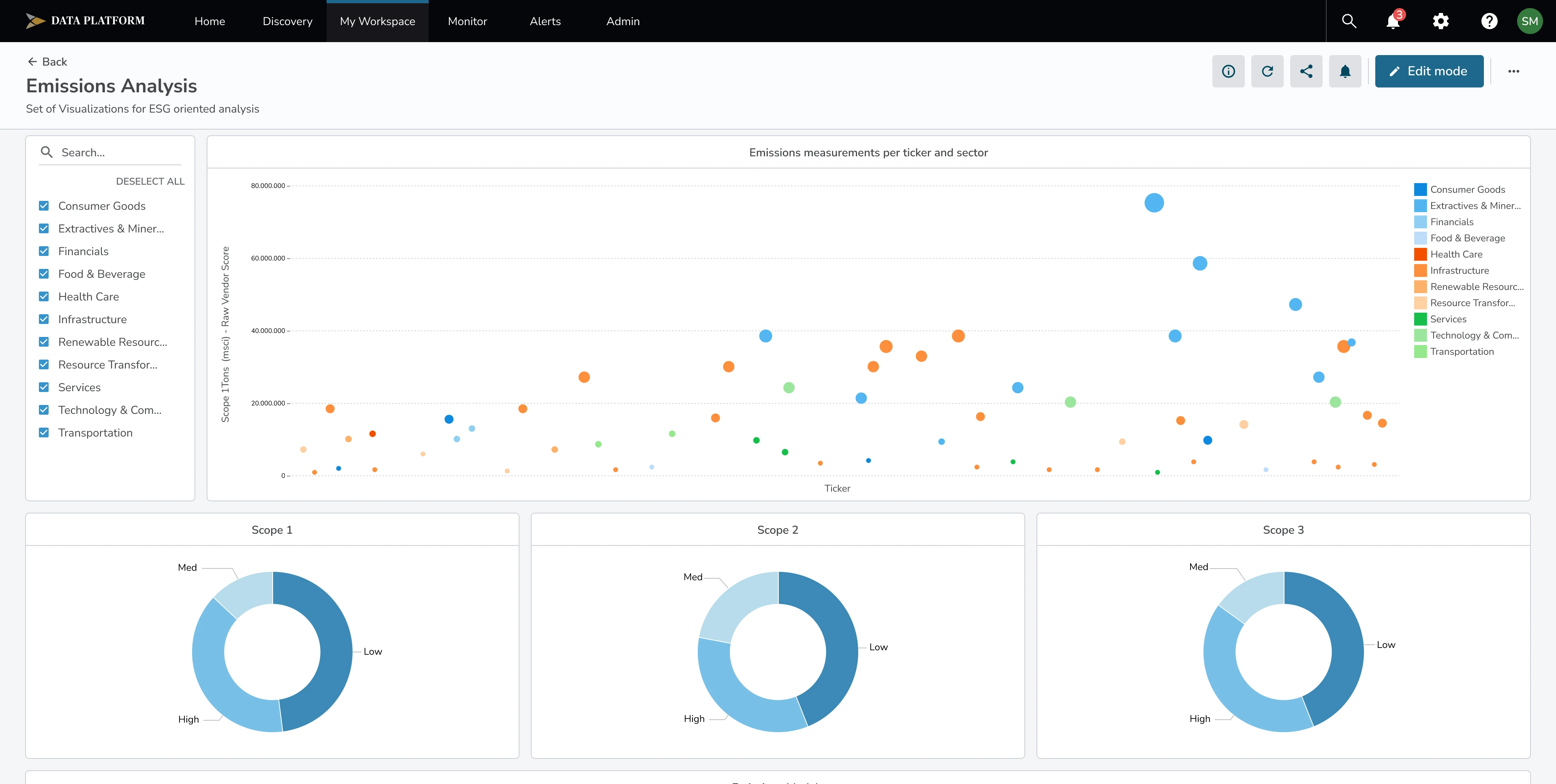
“Monitor” — no setup, no digging, just a clear picture of what's happening.
Monitor was built for the personas who wanted the opposite of Discovery and My Workspace. Edward, Francesca, and Betty all described versions of the same need: everything should be visible at a glance, without them having to go looking for it.
The core of Monitor is a timeline view of selected models, dashboards, and saved views, showing whether everything is running normally or something has failed or hit a technical interruption. Users can filter that timeline by warning severity — critical, major, or success — as well as by data vendor and by when an issue occurred, so someone checking in briefly can quickly narrow down to what actually needs their attention.
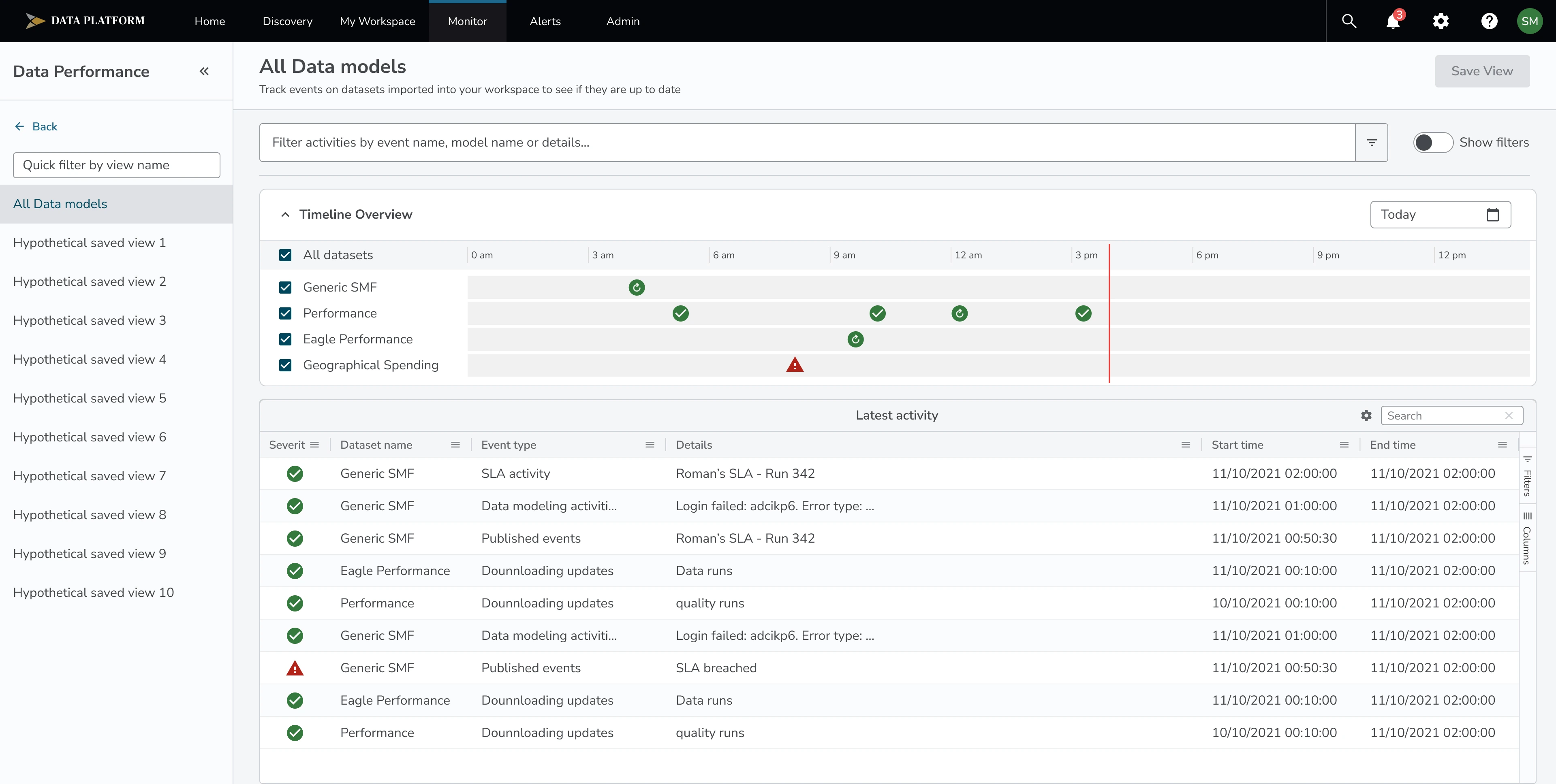
Notifications inside Monitor cover two different kinds of signals: errors and warnings — flagged with a yellow “something to be aware of, though not necessarily broken” indicator — and updates, which cover collaboration activity, like someone requesting an edit to a model, application, or visualization. This meant Monitor wasn't just a health check on the data itself, but also a way for oversight users to stay aware of what their team was doing, without having to be inside the platform daily.
This covers the version of Monitor built around data performance during my time on the project. A later iteration added dedicated Events and Activities sections, which I wasn't involved in designing — worth a brief mention for completeness, but outside the scope of what I can speak to in detail.
Challenges
Bridging the gap between expert knowledge and plain requirements
The people using Studio were deeply skilled in finance, but often struggled to describe what they actually needed in plain terms — they knew their work intimately, not how to translate it into a design problem. This meant I couldn't just take requirements at face value. I had to dive into the subject matter myself — understanding what people were actually doing and why — before I could design something that felt genuinely useful rather than technically correct but disconnected from their real workflow.
Designing within existing technical constraints
Some of the platform's core capabilities — creating new models, building new visualizations — were already built on specific existing technology before I joined the project. That meant constantly balancing what I believed would create the best experience against what the current development approach could realistically support, and finding workable middle ground rather than designing in a vacuum.
Staying consistent across a distributed team
Studio was built by a larger design team, with different people owning different areas of the platform. Keeping Discovery, My Workspace, and Monitor consistent with each other — and with the rest of the platform — meant constantly checking my decisions against a system I didn't fully control alone.
Design System
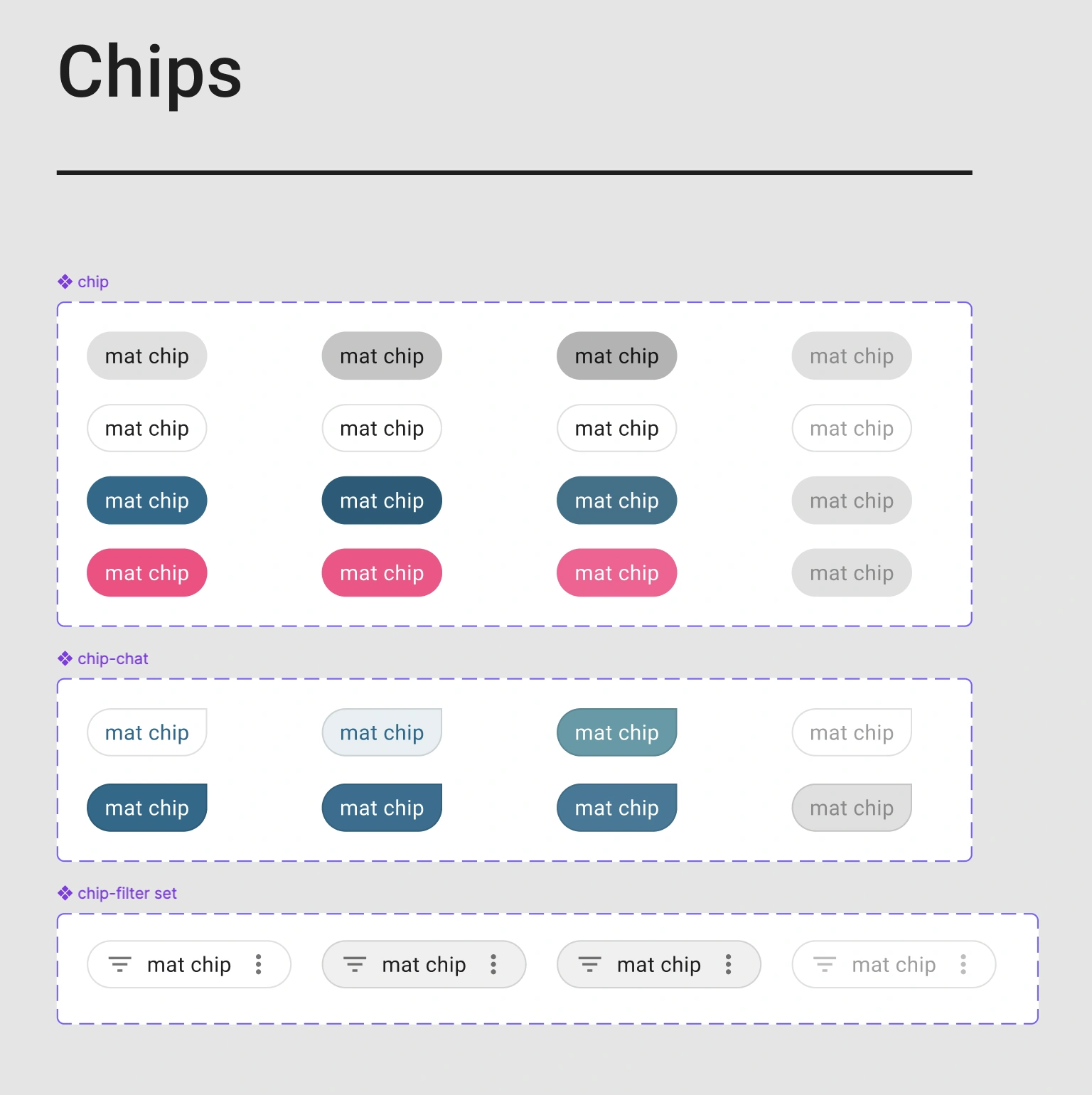
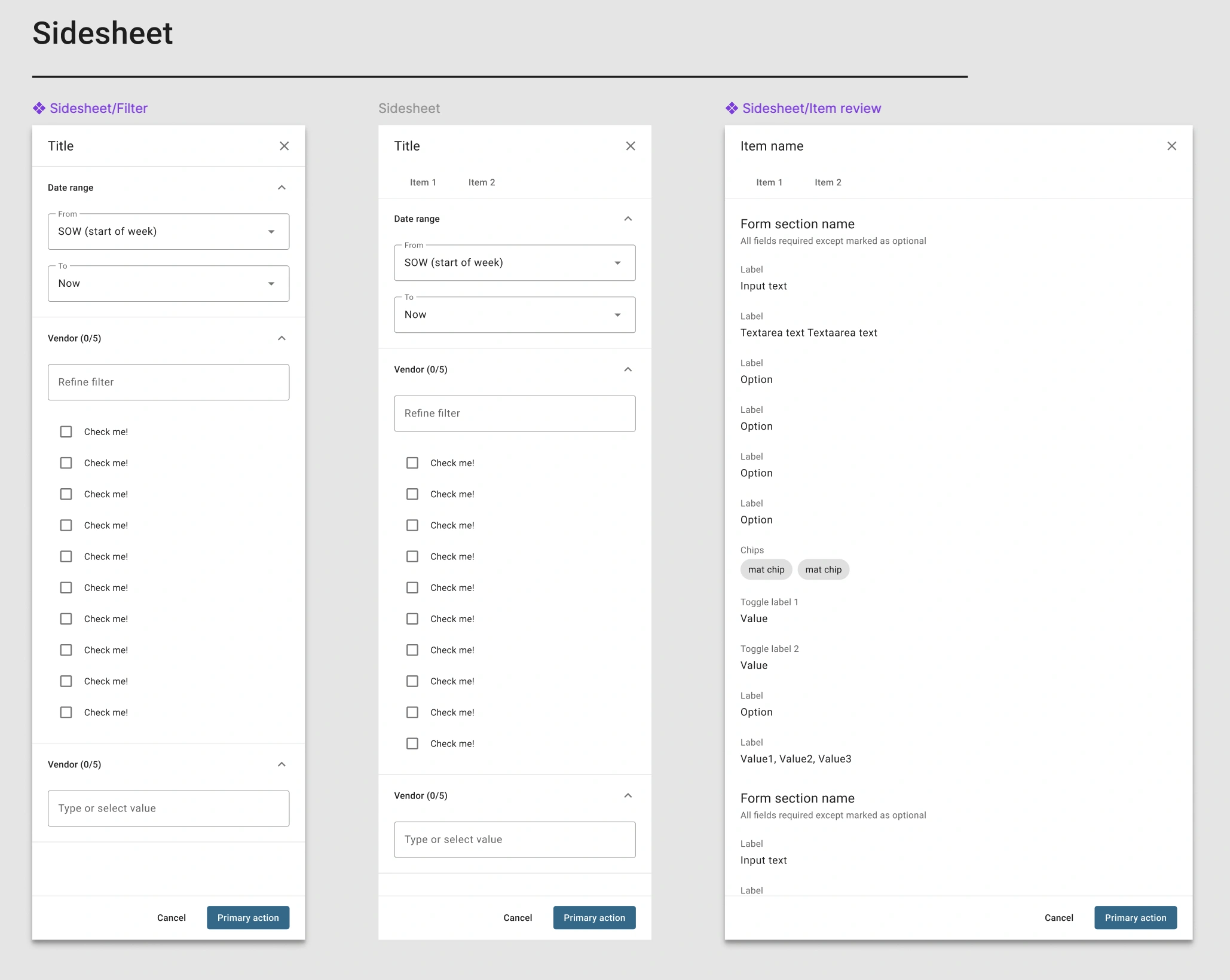
I started building Studio's design system back in 2021, when Figma's own capabilities — especially around variables and shared libraries — were far more limited than they are today. Even without today's tooling, we set up a proper foundation: components and styles lived in a shared Figma library, documented in ZeroHeight, and mirrored in Storybook so design and development stayed in sync.
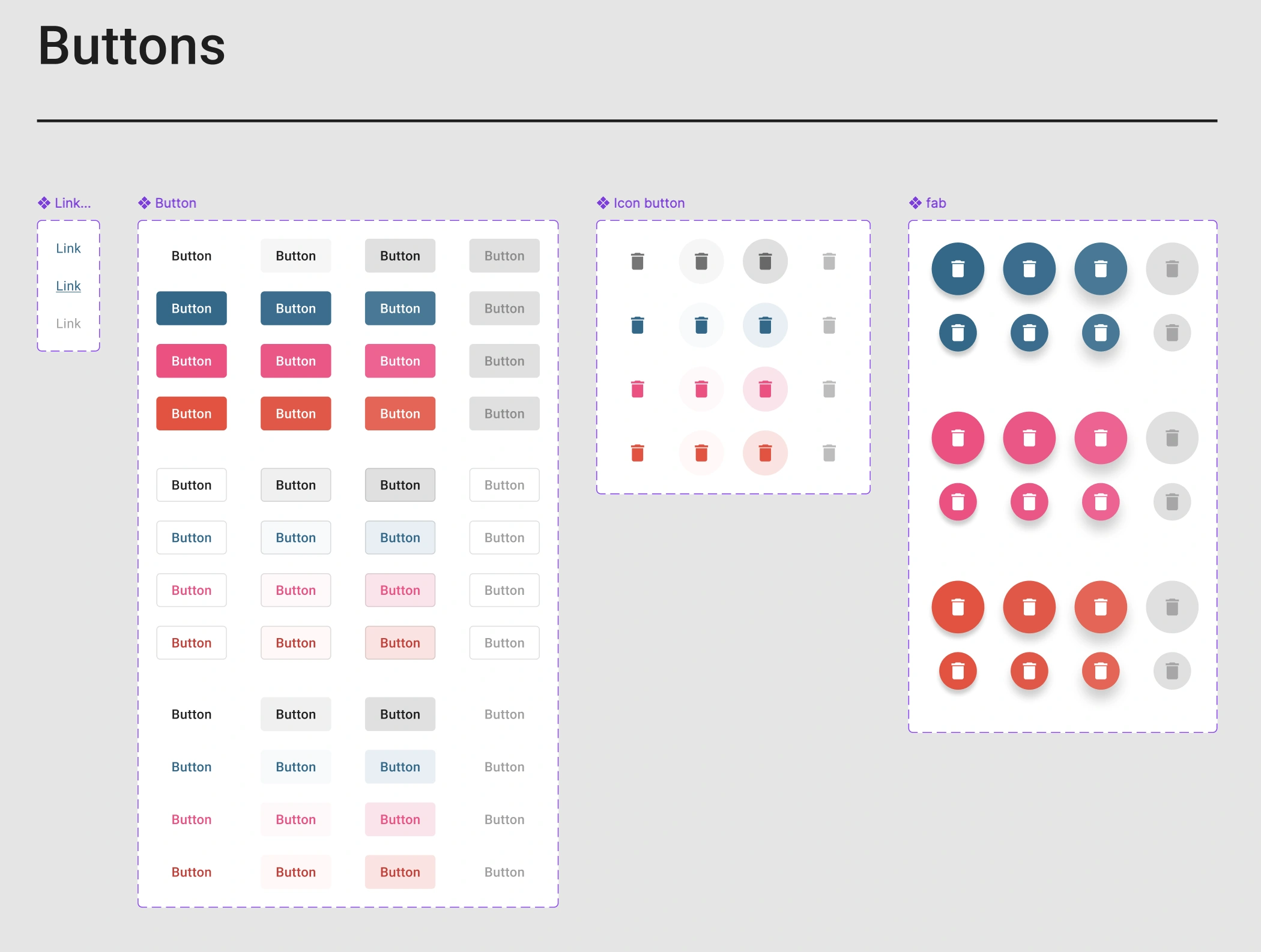
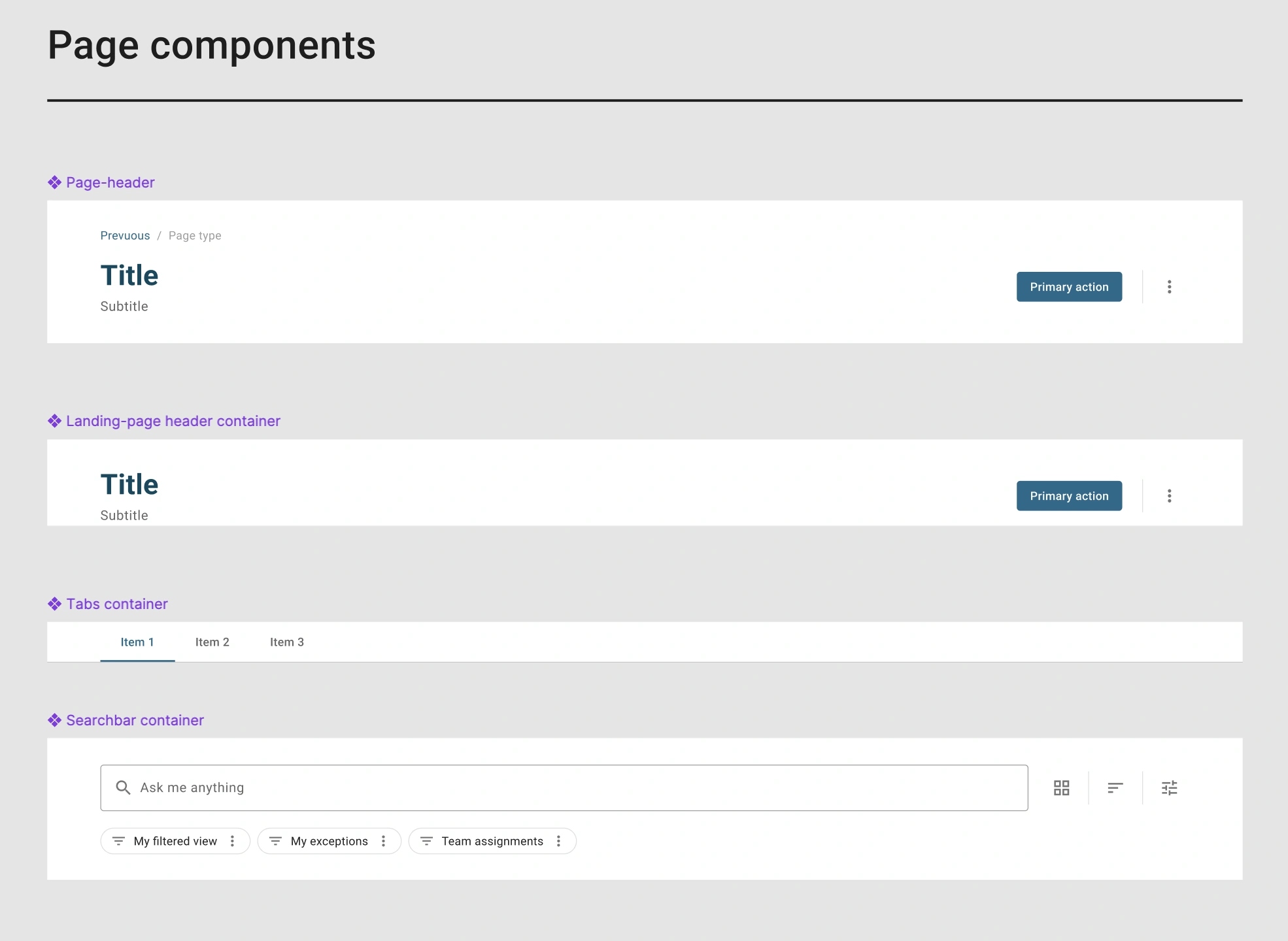
This wasn't a solo effort. Other designers on the team were building against the same system, so we held regular design system sessions to review new components, catch inconsistencies, and keep the library up to date as the platform grew. I also worked directly with developers on implementation — making sure what shipped in code actually matched what was documented in the library, and adjusting the system when a component needed to work differently in practice than it did on paper.
Governance in Design Systems
Consistency standards
How data visualizations, status indicators, and terminology stayed uniform across the platform, since inconsistency could lead to misreadings in a context where accuracy mattered
Reuse discipline
Working within existing patterns rather than introducing one-off solutions, so new features didn't create ambiguity for users who'd built trust in how the system behaved
Change process
Design changes moved through review with stakeholders accountable for accuracy before shipping, which meant validating decisions were defensible, not just usable
Accessibility and clarity minimums
Non-negotiable baseline given the audience and the stakes of misinterpretation
Working inside a financial institution meant design decisions carried weight beyond the interface. Governance here wasn't about maintaining a component library for its own sake - it was about keeping visualizations and workflows consistent and defensible for expert users making judgment calls that fed into financial reporting.
Final Thoughts
Studio was a long project, and this case covers only part of it. Besides the three areas and the design system described here, I worked through many other challenges along the way, from connecting models to a lot of smaller decisions that kept the platform consistent for very different users.
If you want to hear about the rest, I would be happy to talk it through.